
Honest availability
Registry records cross-checked with registrars. A name with no registry record says "Not registered", not "Available", until a registrar confirms it. When sources disagree, you see every answer.
Check a product name across domain extensions, see what's already running on the taken ones, and whether it competes with what you're building. Free and open source.
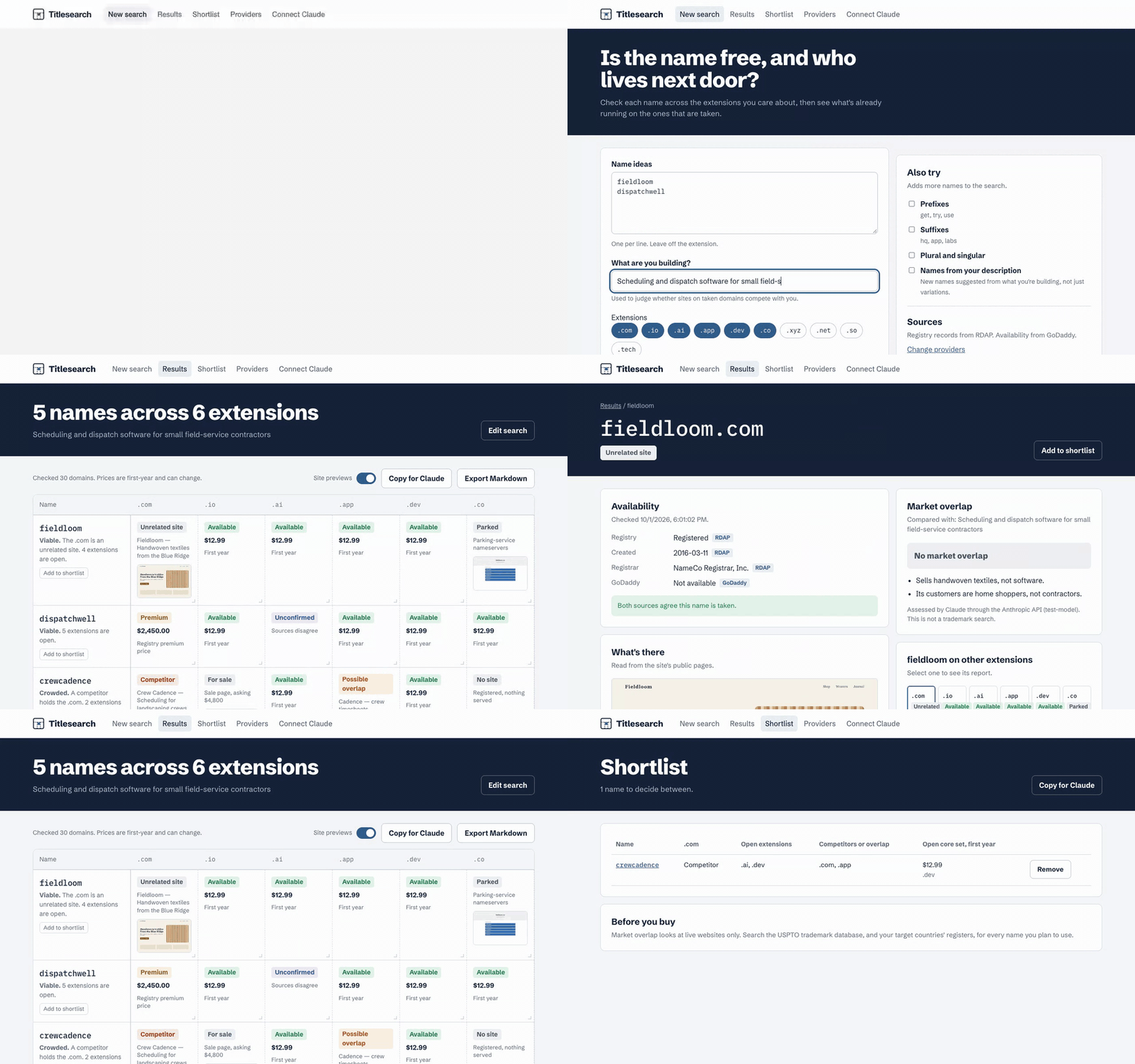
Not your platform? Choose below.
Command-line binaries, checksums, and SBOMs are on the release page. Or run it with Node: npx -y titlesearch.
Early releases aren't signed with a developer certificate yet, so your system will ask before the first launch:
.dmg and drag Titlesearch to Applications. On first launch, macOS says it can't verify the developer. Open System Settings → Privacy & Security, scroll down, and choose Open Anyway.chmod +x Titlesearch-Linux-x64.AppImage) and run it, or install the .deb with sudo apt install ./Titlesearch-Linux-x64.deb.Every file has a checksum in SHA256SUMS on the release page.
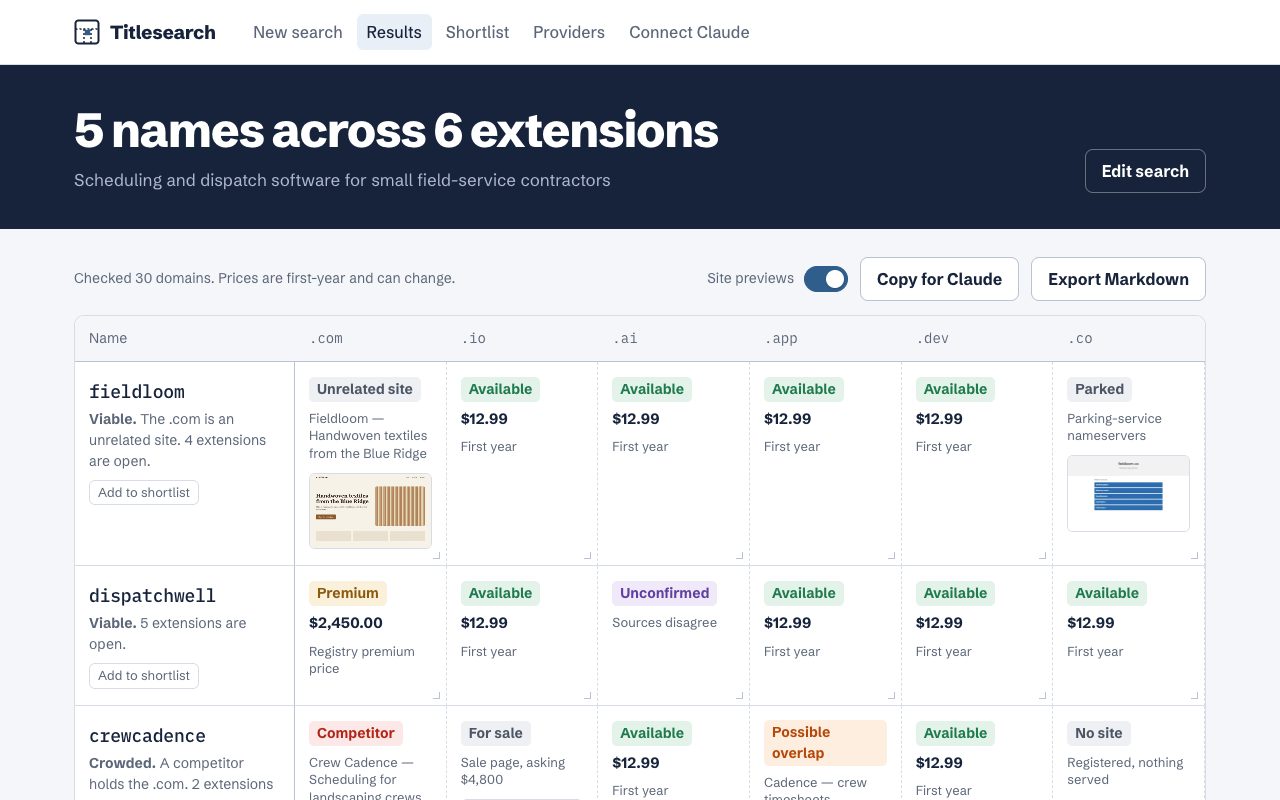
Names down the side, extensions across the top. Each lot shows its status, a line of detail, and a preview of what's there. Hover over a preview to enlarge it.
Prices appear when you connect Porkbun or Name.com, and they're never estimated.
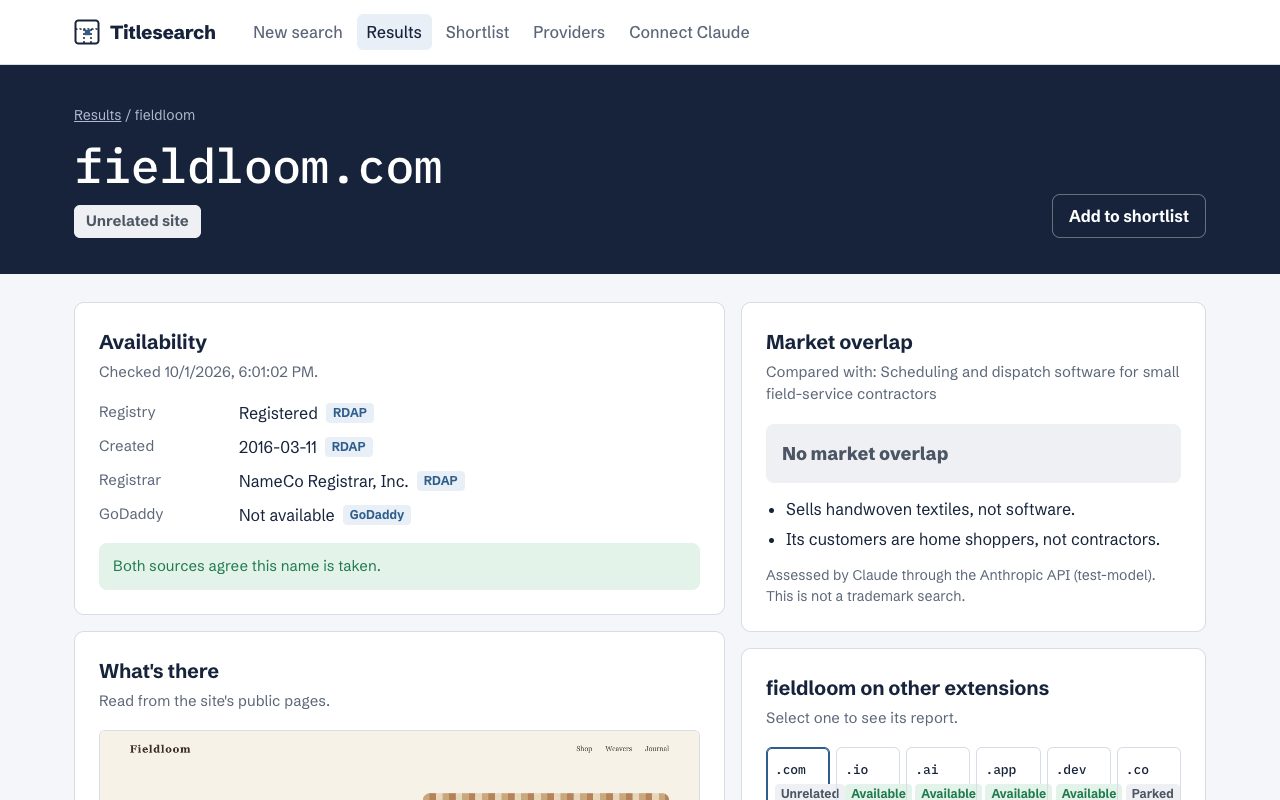
Each domain gets a report: what the registry and registrars say, with their sources; what the site is, with a preview; the connection chain; and whether it competes with your product.
Every form of Titlesearch is also an MCP server. Add it to Claude Desktop or Claude Code, and ask: "I'm naming a scheduling app for landscaping crews. Suggest some names and check which have a free .com."
{ "mcpServers": { "titlesearch": { "command": "npx", "args": ["-y", "titlesearch", "mcp"] } } }Titlesearch runs on your computer. It can't register, buy, or change any domain. It treats text from other sites as data, never as instructions, and it reaches sites only through checks that keep it on the public internet. Your API keys stay in your keychain or environment. More about security